Export to XML
-
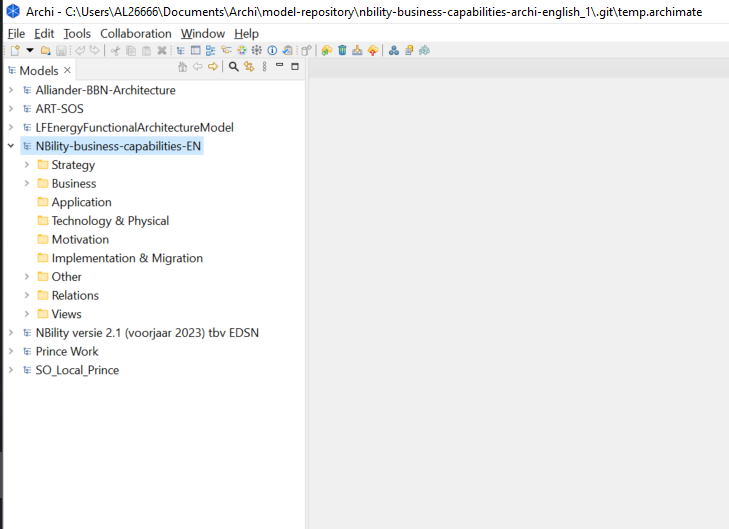
Open Archi on your local machine and select the architecture repository which you would like to export. For the purpose of this example, we choose Nbility-business-capabilities-EN. See image below.
-
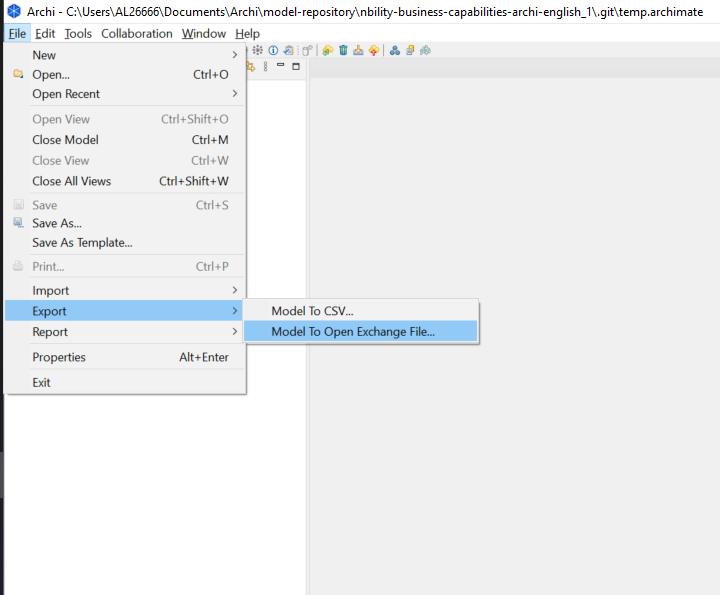
Then select, File > Export > Model to Open Exchange File.
-
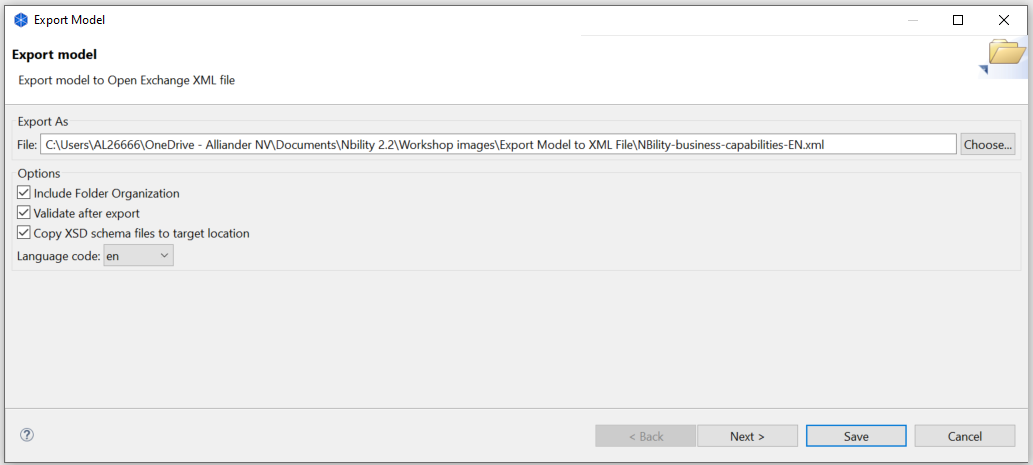
A pop up window open where in you can select the folder location to save the .xml file. See image below.
-
The .xml file will be saved in the chosen folder, along with three .xsd files.