Set Up Archi
Installing Archi
- Download and install the latest version of Archi from https://www.archimatetool.com/download/
Download and install the coArchi plug-in
-
Download the most recent version of coArchi plug-in zip file from the Archi plugins page.
-
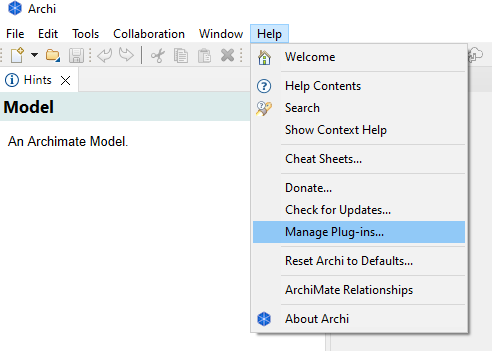
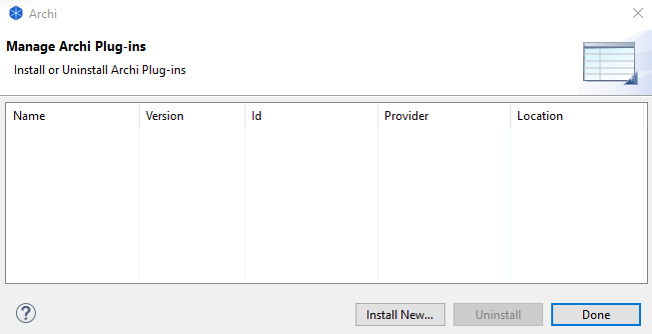
In Archi, select “Manage Plug-ins…” from the main Help menu. From the Plug-ins Manager window, select “Install New…” and select the coArchi plug-in zip file. You may need to restart Archi to activate the plug-in. Please ensure the plug-in version supports the installed version of Archi.
-
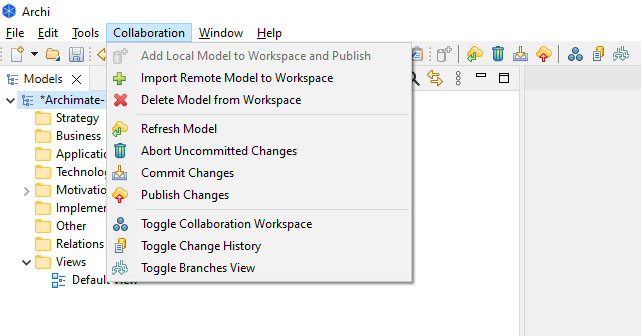
If your plug-in installation was successful, the [Collaboration] menu item should be visible appear on the application menu in Archi after restarting Archi.