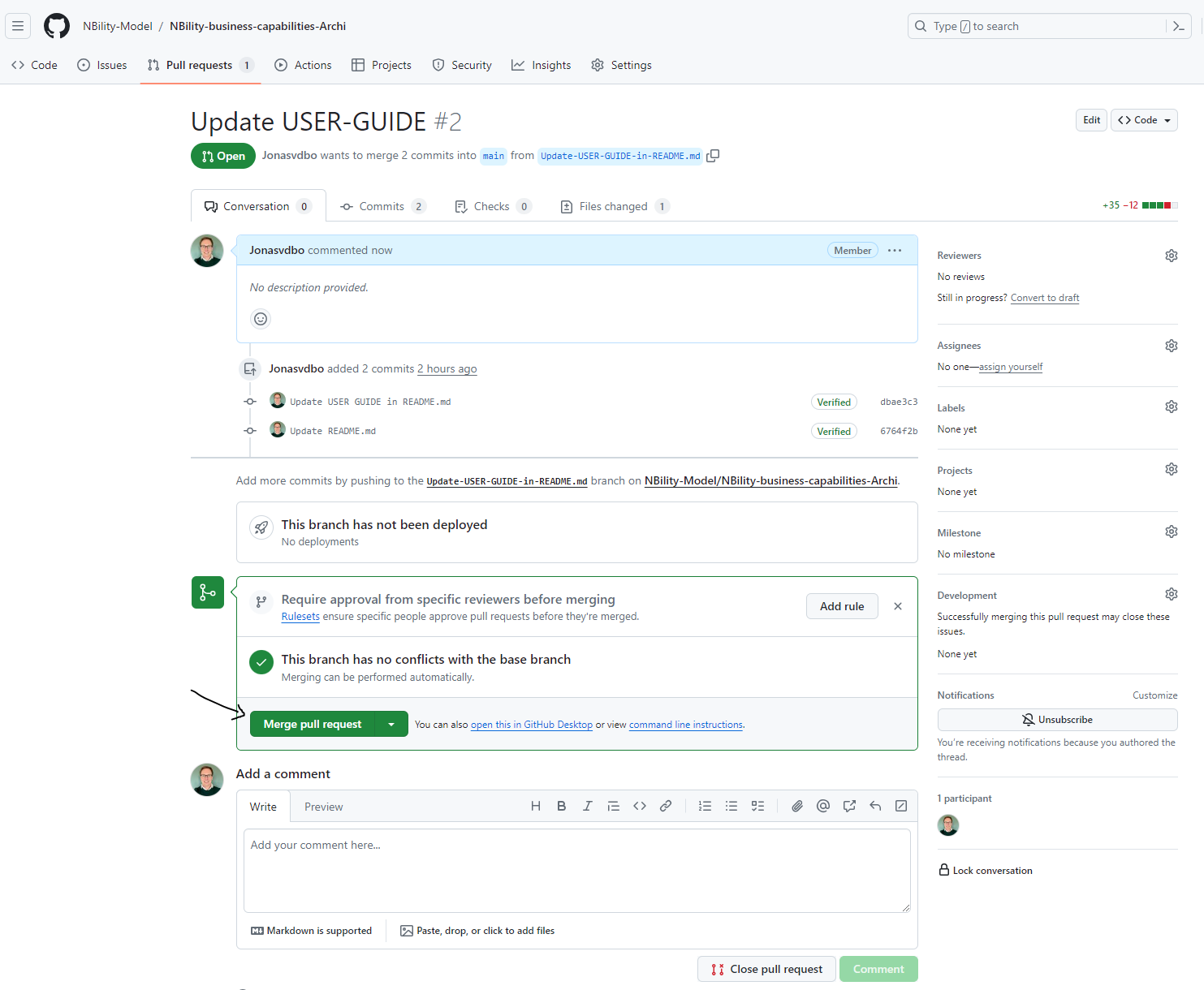
Manage Pull Requests
On regular intervals all committed and published branches need to be merged into the main branch which will trickle down into all subsequent branches.
- Log onto your GitHub Account at GitHub.com.
-
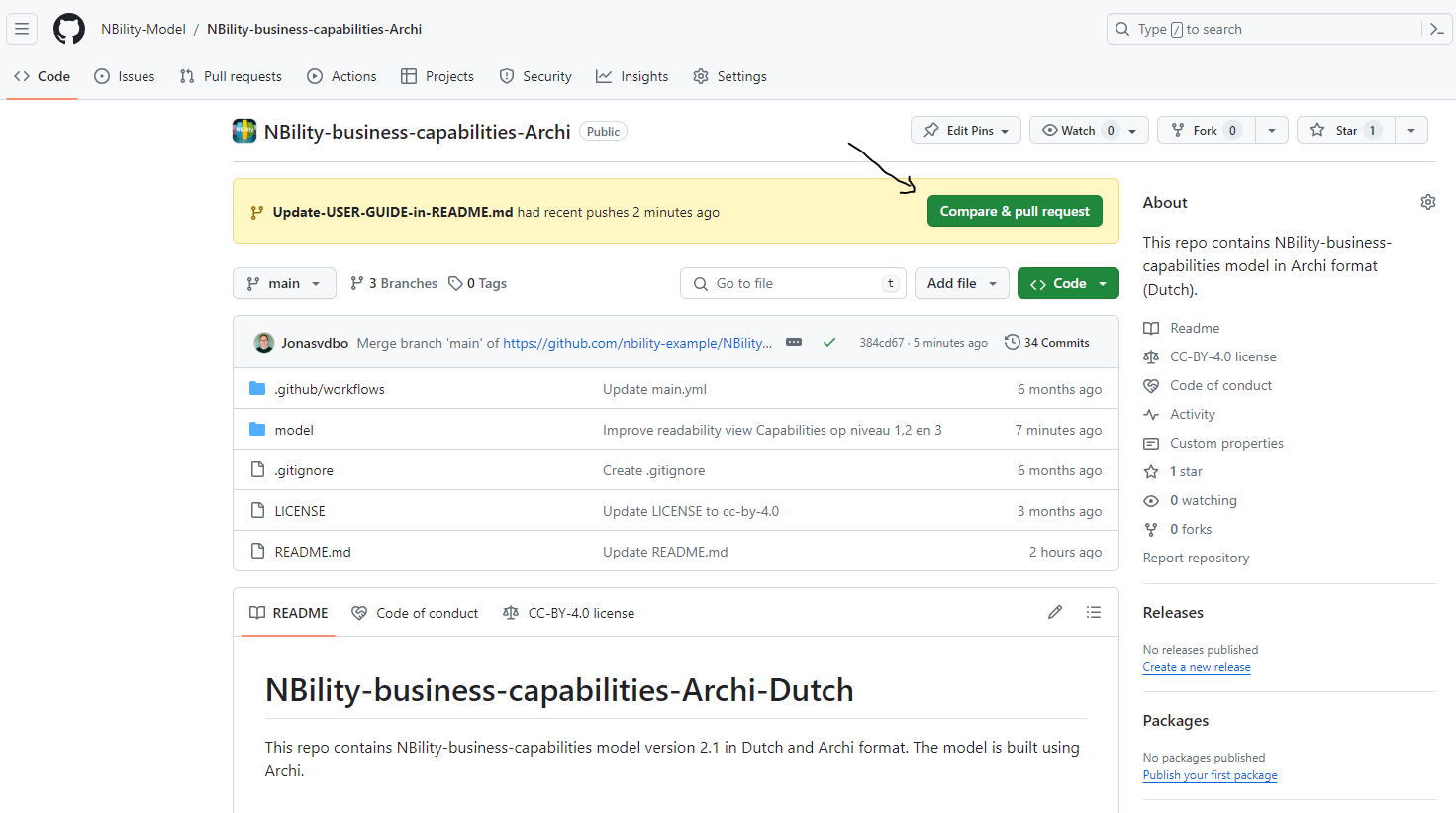
In https://github.com/NBility-Model, create a Github pull request from your topic branch on by clicking on the button [Compare & Pull Request].
-
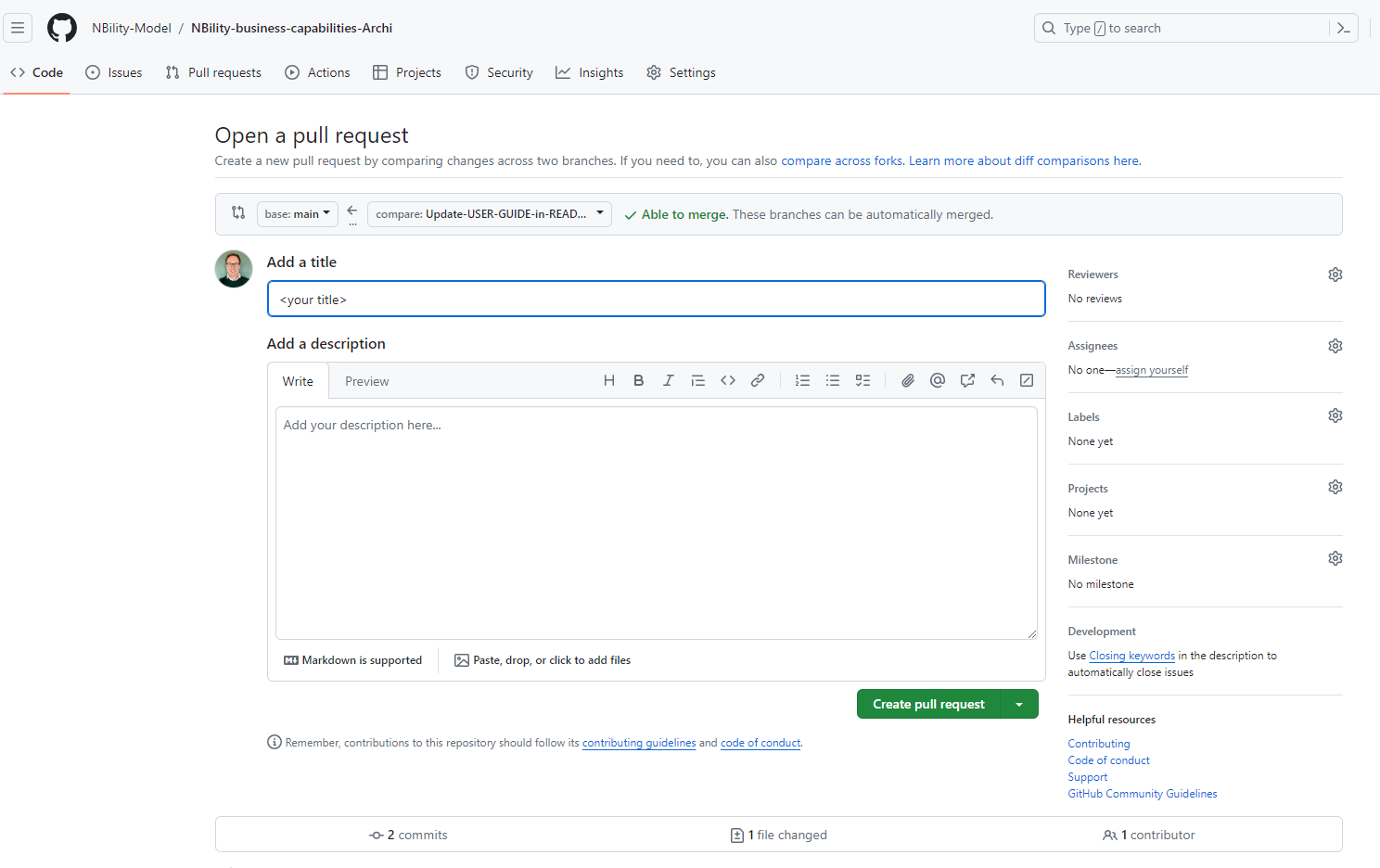
Add a title and description to your pull request. To finalize your pull request, click on the button [Create pull request].
-
Pull requests will be reviewed by one of the maintainers of NBility Model who may discuss, offer constructive feedback, request changes, or approve the work.
-
Upon receiving the sign-off of one of the maintainers of NBility Model you may merge your changes, or if you do not have permission to do that, you may request a maintainer to merge it for you.