Import Model in Archi
Once you have configured Archi and coArchi, and generated your Github Personal Access Token (PAT) you will be able to import the Nbility model into archi.
-
In Archi, select [Import Remote Model to Workspace] from Collaboration menu. You may need to provide Archi a master password to unlock this feature. IMPORTANT: YOU CANNOT RETRIEVE THE MASTER PASSWORD AFTERWARDS. IF YOU LOOSE IT YOU MAY WILL NEED TO REINSTALL ARCHI.
-
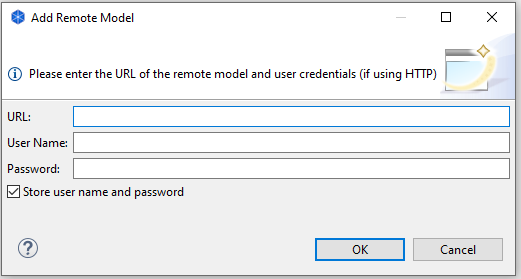
In the Add Remote Model modal, provide the following information:
Field Description URL The full web URL of the repo: https://github.com/username/reponame.git User Name Your Github user name Password The Github Personal Access Token (PAT) you generated earlier It is possible that you could use your GitHub credentials as-is in the screen. However, it is recommended that you enable 2FA on your Github account to protect access to the repo. In this case you will only be able to log onto Github from Archi using the Github Personal Access Token (PAT).
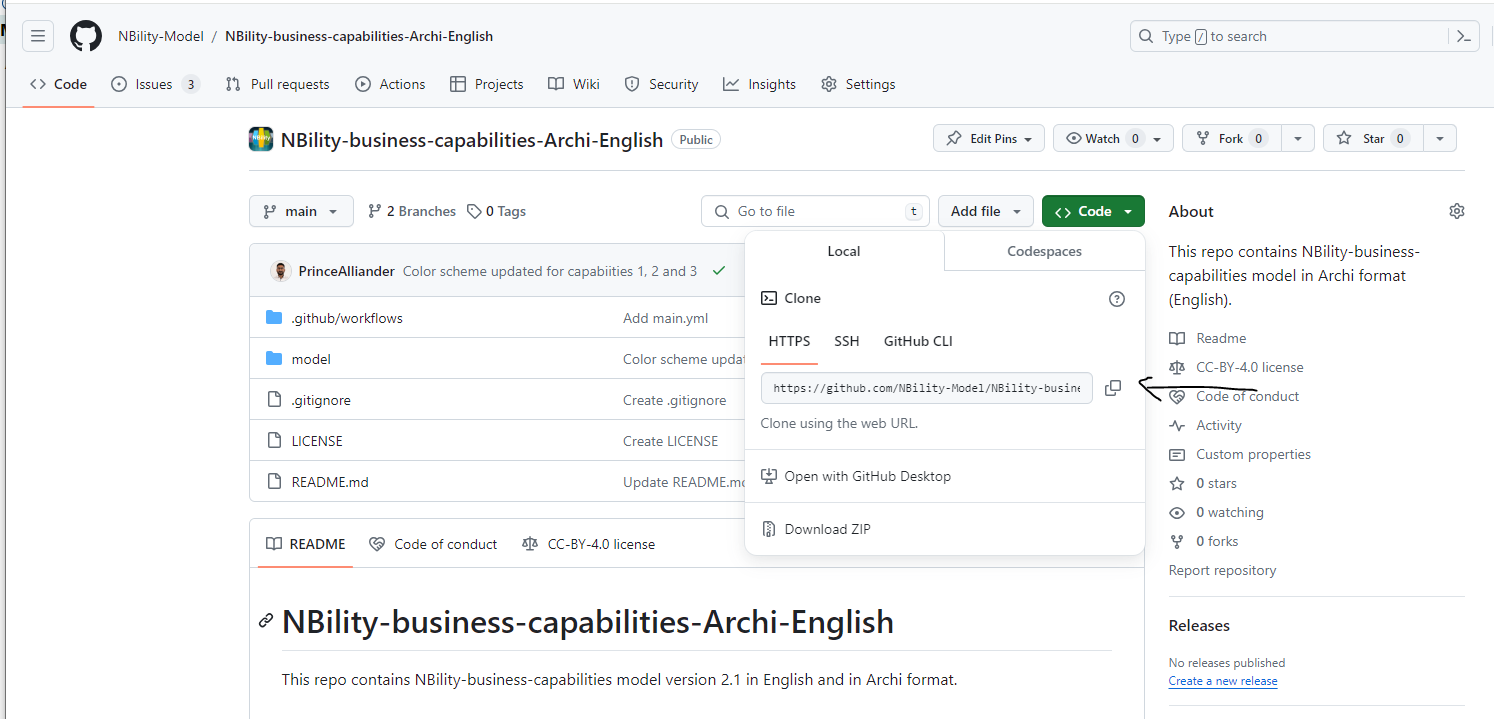
To obtain the repo URL, you can copy of from the Clone address: